
G0DM0D3
G0DM0D3: Sixty AI models answering one question at once
An open chat interface that runs lots of AI models at once, so you can see how differently they answer the same thing.
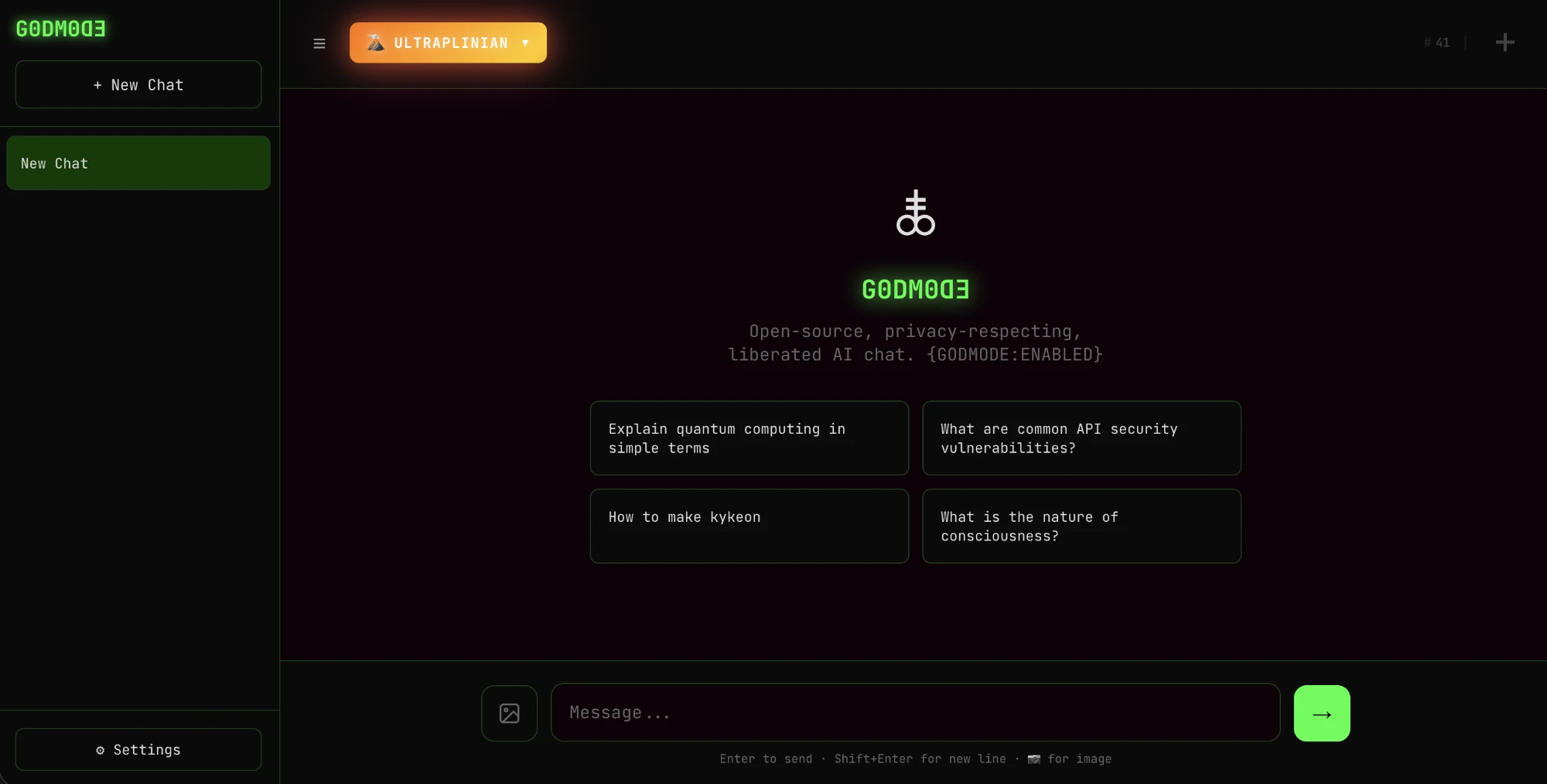
What this means for you
Normally, when you ask an AI a question, you get one answer from one model. You have no way of knowing whether a different one would have told you something else. G0DM0D3 lets you ask many AI models the same question at the same moment and see their answers lined up next to each other.
Do that a few times and something becomes obvious. There is no single “the AI said so.” Different models, built and tuned by different companies, disagree. They hedge in different places. One answers in a sentence, another writes an essay, a third declines to answer at all. The question was identical. What changed was who built the thing answering it.
That is worth knowing, because every model reaches you through a layer of choices its maker added after training: instructions, tuning and limits on what it will discuss. From inside a single chat window that layer is invisible. It just looks like “how AI is.” Seen side by side, the layer shows up as the differences.
What it is built for
G0DM0D3 describes itself as a research tool, and it is more than a comparison screen. Its main mode sends your question to a set of models, anywhere from a dozen to sixty, scores every reply, and shows you the one that scored best along with the rest. It also includes tools made for people who test AI systems professionally, the work known as red teaming: ways of rewording a question to see whether a model’s limits hold up, and pairings of models with prompts designed to get past those limits.
You should know that going in. This is an instrument for studying how models behave under pressure, and the makers say so. When you open it, it asks you to confirm that you are responsible for what you do with it. For the plain job of comparing answers you do not need the testing tools at all.
How to use it
You can use it in a web browser at godmod3.ai. There is nothing to install and no account to create with the makers. What you do need is a key from a service that provides the models. The usual choice is OpenRouter, which gives access to many models through one paid account. You paste that key into the settings and you are ready.
If you would rather not send your questions to any outside company, there is another route. G0DM0D3 can talk to AI models running on your own computer. In that setup, with the local-only setting switched on, your questions stay on your machine. It takes some technical comfort to arrange, so it is a job for a patient afternoon or a technical friend.
The project is unusually direct about privacy, which is worth a sentence. Your chats are kept in your own browser and there is no account. By default the app does send back some basic usage statistics, such as which mode you used and how long a reply took, though not what you wrote. You can turn that off in the settings.
The full source is free on GitHub at the link above.
What it is
G0DM0D3 is an open-source, multi-model chat interface for red teaming, research into model behavior, and comparing responses. Its stated subject is the post-training layer: the system prompts, tuning and guardrails each lab adds on top of a trained model. The core UI is a single index.html. It is licensed AGPL-3.0 and has no account system.
Providers
- OpenRouter. 60 models listed at capture.
- Venice. Up to 44 more when configured.
- Local. Any OpenAI-compatible server on the user’s hardware: Ollama, LM Studio, llama.cpp or vLLM.
Provider catalogs change, so counts are a snapshot and individual models can become unavailable.
ULTRAPLINIAN: the evaluation engine
The main mode queries a set of models in parallel with the same prompt, scores each response on a 100-point composite metric, and returns the highest scorer with the others available for comparison. It runs in five tiers by breadth:
| Fast | 12 models |
| Standard | 27 models |
| Smart | 41 models |
| Power | 53 models |
| Ultra | 60 models |
Those are OpenRouter base counts. Venice and local models add to each tier when configured, and the whole engine can run against local models only.
The other components
- AutoTune. Classifies a query into one of 20 contexts and sets sampling parameters to suit: temperature, top-p, top-k and the frequency, presence and repetition penalties.
- Parseltongue. An input-perturbation engine for robustness research. It detects trigger words and applies obfuscation, with 33 techniques across three intensity tiers.
- Classic mode. Five fixed pairings of a model with a jailbreak prompt, raced in parallel, with the best response returned.
The last two are explicitly adversarial. They exist to measure how a model’s refusals respond to rewording and to known bypass prompts, and they are the reason the hosted app opens with a research-preview notice placing responsibility for use on the operator.
Why it matters
Most people only ever see one model’s answer, in isolation. Running many in parallel exposes how much of an answer comes from the post-training layer and how much is common to all of them. The same prompt produces different hedges, refusals and conclusions across models. With a large enough panel, the variation between labs becomes a measurable property and stops being an impression.
The comparison is the instrument. A refusal from one model is a fact about that model. A refusal from one model out of sixty, on the same prompt, is a fact about a policy choice.
Privacy model
The README documents its data flows in place of a blanket claim:
- Prompts and responses go to whichever providers the user configures, under those providers’ policies.
- Provider keys are held in browser storage and sent only to the matching provider. The README notes that browser storage is a convenience and should not be treated as a secure vault.
- Chat history and settings live in the browser’s localStorage. There is no cloud sync.
- Telemetry is on by default and limited to metadata: a random session ID, timestamps, mode and tier, timing, scores and content lengths. It excludes message content and can be disabled with a no-log or local-only setting.
How to use it
- Hosted at godmod3.ai. Bring an OpenRouter or Venice key, or connect a local server.
- Self-host by serving index.html from any static host.
- For local models, point Settings at the server’s address and enable local-only mode, which excludes outside providers and turns telemetry off.
# then in Settings → API Keys → Local Models: http://localhost:11434/v1
The composite scoring method is the project’s own and is not an external benchmark, so a winning response is the best by that rubric. The repo also contains a separate optional React front end whose features should not be assumed in the hosted single-file app.